
LINKING TO THE MLS
Adding a Home Tour Movie to your listing's MLS information page is fairly simple. You can enter the URL, or address of your hosted HTM when you set up your listing or whenever you like.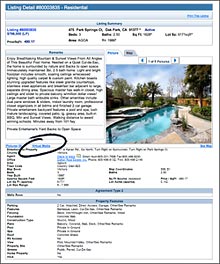
FOLLOW THESE STEPS: Assuming your listing is already active, Log in to the MLS and go to the "Listings" column, then choose "View/Revise Listings". Select your listing, and then "Revise Listing". Under "Listing Information" click on the "Virtual Media" Link. The field that appears is where you enter the address we give you. It will be similar to this
http://www.hometourmovies.com/media/your_name/movie
Works with BASIC, DELUXE, and ESTATE PKG. MOVIES |
LINKING TO REALTOR.COM
Adding a Home Tour Movie to your listing's Realtor.com information page can be done in two ways. You can upload the movie file directly, or you can link it from a server.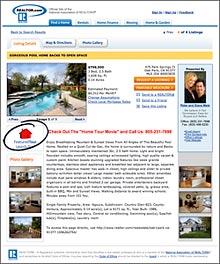
METHOD ONE:
Log in to realtor.com "Control Panel" and choose "Video", then choose "Manage Videos". Now choose "Upload". Next you'll select the "320 x 240" template, click "Next" and then "Browse" your computer for the movie file we have provided you. It will upload to Realtor.com's servers. Use this for our BASIC MOVIE PACKAGE.
METHOD TWO: We host your DELUXE or ESTATE PKG. MOVIES and do the set-up for you as Realtor.com authorized PicturePath™ providers. You may also do it yourself.
|











